EUR Game1.4.21
Publisher Description
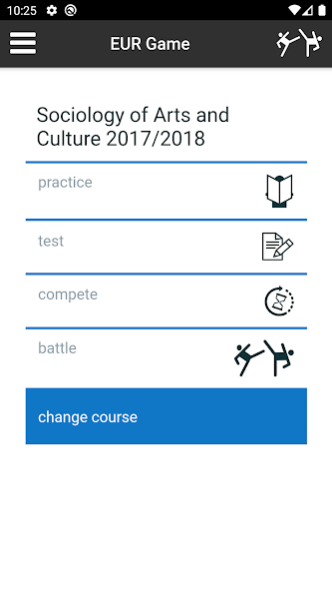
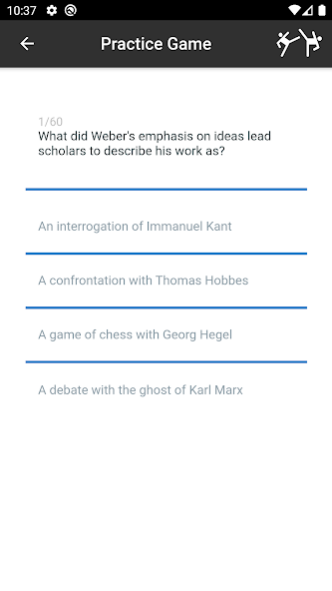
Active academic learning; that is what Erasmus University Rotterdam (EUR) stands for. In line with this, EUR has developed a new app offering a series of questions in various areas that enable you to use your smartphone to test the knowledge you’ve acquired. The questions are directly related to the teaching provided.
The EUR game app uses questions and answers to make abstract material applicable, practical and clear for EUR students. This is achieved through the game’s unique features: the student plays against the clock, achieves scores per question and section, and is provided with specific feedback. In battle mode you can challenge a co-student for a battle. The game content is compiled by EUR lecturers, which means that the questions, answers, feedback on the answers and references to literature are geared to the teaching in your faculty. Curious about another programme? Then check out what’s on offer from other faculties.
About EUR Game
The company that develops EUR Game is Erasmus Universiteit Rotterdam. The latest version released by its developer is 1.4.21.
To install EUR Game on your Android device, just click the green Continue To App button above to start the installation process. The app is listed on our website since 2020-02-05 and was downloaded 7 times. We have already checked if the download link is safe, however for your own protection we recommend that you scan the downloaded app with your antivirus. Your antivirus may detect the EUR Game as malware as malware if the download link to nl.eur.battle_app is broken.
How to install EUR Game on your Android device:
- Click on the Continue To App button on our website. This will redirect you to Google Play.
- Once the EUR Game is shown in the Google Play listing of your Android device, you can start its download and installation. Tap on the Install button located below the search bar and to the right of the app icon.
- A pop-up window with the permissions required by EUR Game will be shown. Click on Accept to continue the process.
- EUR Game will be downloaded onto your device, displaying a progress. Once the download completes, the installation will start and you'll get a notification after the installation is finished.
Program Details
System requirements
Download information
Pricing
Version History
version 1.4.21
posted on 2020-02-05
Removed support for Android 5.1 and older.
version 1.4.20
posted on 2019-04-03
Various bugfixes
CMS improvements
version 1.4.11
posted on 2017-06-01
easier battle accept, better handling of hardware/android back button, ability to preview opponent and accept or decline invite, immediate updates of battle opponents progress
version 1.2.5
posted on 2016-11-11
fixed opponent pick page
